Let's get set up!
In this quickstart, you’ll learn how to:
- Get an API key from the Developer Portal
- Test your connection to the API
- Generate a virtual try-on image
- Analyze an outfit
- Monitor your API usage
- Learn how your data is used
Base URL
Section titled “Base URL”All API requests are made to:
https://mcll3bnfubyazfg6wekv3xc6fi0dgpyk.lambda-url.us-east-1.on.awsClient libraries
Section titled “Client libraries”The examples below use Python. We also provide a dedicated SDK package:
- Python SDK — idiomatic Python client
-
Get your API key
Section titled “Get your API key”Sign up at the Developer Portal and navigate to API Keys to generate a key. Your key will look like:
ss_a1b2c3d4e5f6... -
Install the SDK
Section titled “Install the SDK”Terminal window pip install requests -
Test the connection
Section titled “Test the connection”Make a GET request to the base URL to verify the API is reachable.
import requestsresponse = requests.get("https://mcll3bnfubyazfg6wekv3xc6fi0dgpyk.lambda-url.us-east-1.on.aws/")print(response.json())Expected response:
{"status": "ok","service": "superstyle-api","version": "1.0.0"} -
Generate a virtual try-on
Section titled “Generate a virtual try-on”Send a selfie and a reference outfit to generate a try-on image. You can use the sample images below — just paste the code with your API key and run it.
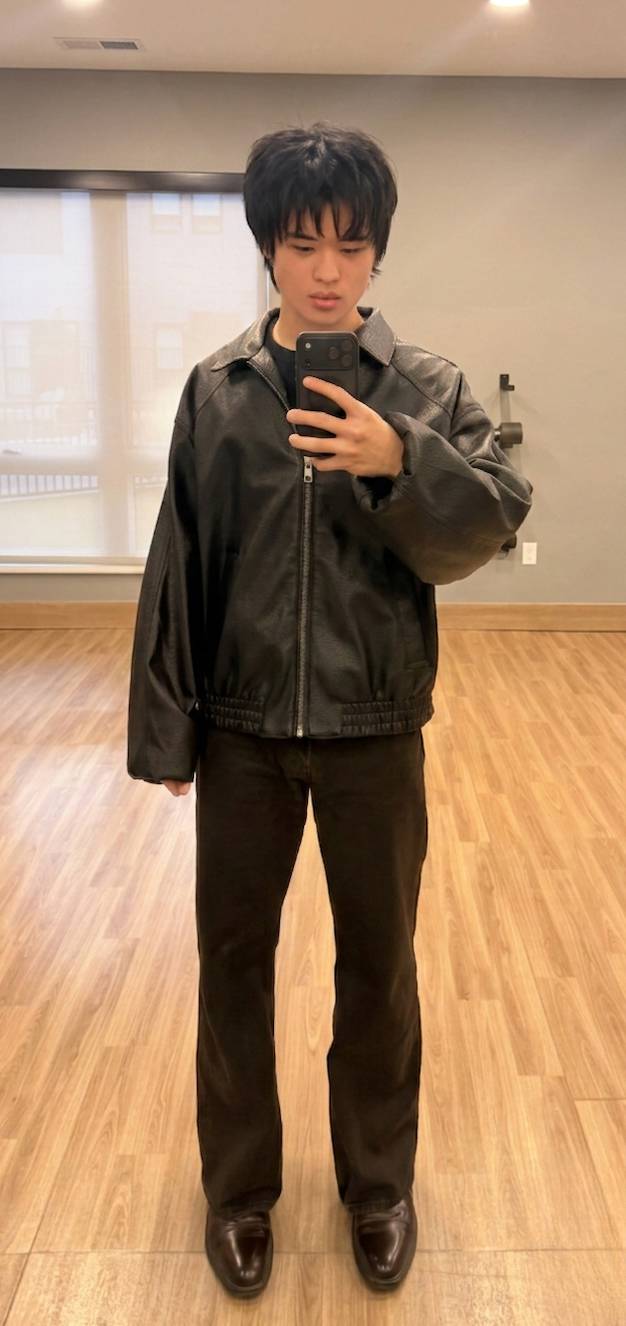
Selfie input (That’s me!) 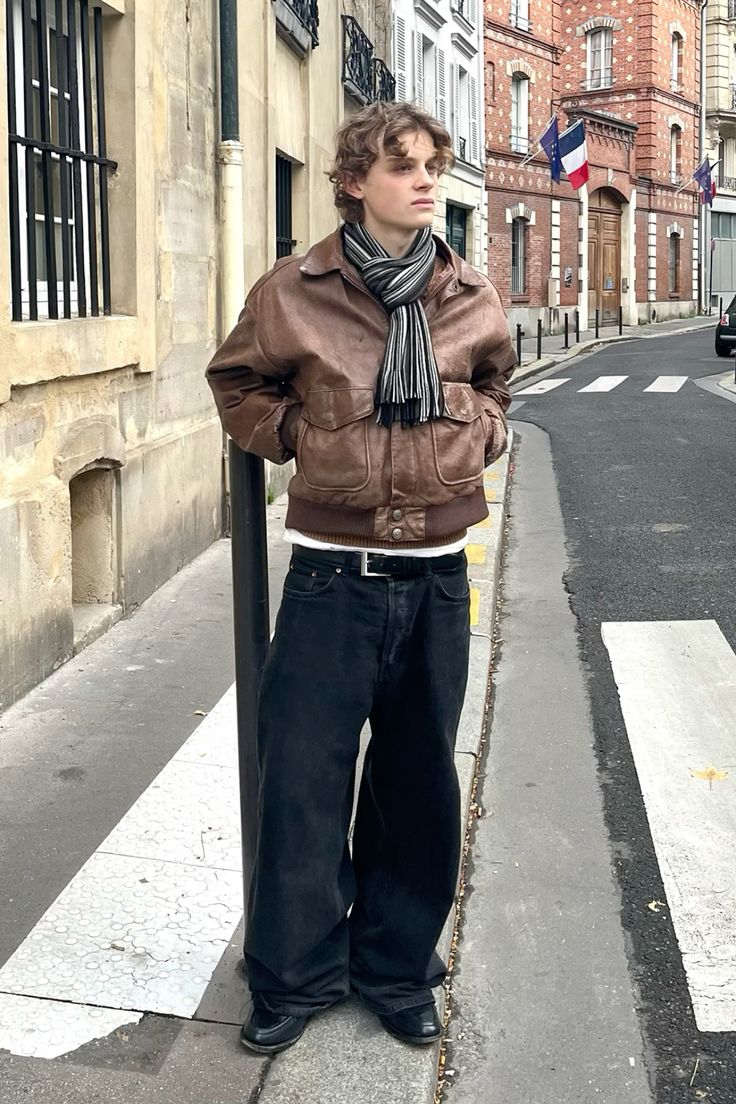
Reference outfit Using the sample images:
import base64import requests# Picture of me — fetch and encodeselfie = requests.get("https://www.meriedith.com/images/illinois-front-profile.png")selfie_base64 = base64.b64encode(selfie.content).decode()response = requests.post("https://mcll3bnfubyazfg6wekv3xc6fi0dgpyk.lambda-url.us-east-1.on.aws/try_on_outfit",headers={"X-API-Key": "ss_your_key_here"},json={"selfie_base64": selfie_base64,"clothing_image_url": "https://www.meriedith.com/images/pinterest-demo.jpg","clothing_description": "Casual streetwear outfit from the reference image","mode": "model_shot",},)response.raise_for_status()result = response.json()print("Image URL:", result["image_url"])# Save the image locallyimg = requests.get(result["image_url"])with open("try_on_demo.jpg", "wb") as f:f.write(img.content)print("Saved to try_on_demo.jpg")import base64import requestsfrom pathlib import Path# Load your selfie from diskselfie_base64 = base64.b64encode(Path("./my-selfie.jpg").read_bytes()).decode()# Option 1: Reference outfit by URLclothing_image_url = "https://example.com/outfit-you-like.jpg"# Option 2: Load your own outfit image from disk (uncomment below)# outfit_base64 = base64.b64encode(Path("./my-outfit.jpg").read_bytes()).decode()response = requests.post("https://mcll3bnfubyazfg6wekv3xc6fi0dgpyk.lambda-url.us-east-1.on.aws/try_on_outfit",headers={"X-API-Key": "ss_your_key_here"},json={"selfie_base64": selfie_base64,"clothing_image_url": clothing_image_url,"clothing_description": "Describe the outfit here","mode": "model_shot",# "outfit_base64": outfit_base64, # uncomment to use your own outfit image},)response.raise_for_status()result = response.json()print("Image URL:", result["image_url"])# Save the image locallyimg = requests.get(result["image_url"])with open("try_on_demo.jpg", "wb") as f:f.write(img.content)print("Saved to try_on_demo.jpg")Response:
{"image_url": "https://superstyle-user-images.s3.us-east-1.amazonaws.com/temp/.../20260228T153000Z_a1b2c3.jpg","mime_type": "image/jpeg"} -
Analyze an outfit
Section titled “Analyze an outfit”Send an image URL to the
/analyze_outfitendpoint to break down an outfit into individual pieces — each item comes back with asearch_queryand product links you can use to find it online.Using a sample image:
import requestsresponse = requests.post("https://mcll3bnfubyazfg6wekv3xc6fi0dgpyk.lambda-url.us-east-1.on.aws/analyze_outfit",headers={"X-API-Key": "ss_your_key_here"},json={"image_url": "https://www.meriedith.com/images/pinterest-demo-5.jpg"},)response.raise_for_status()items = response.json()["items"]for item in items:print(f"{item['item']}: {item['description']} ({item['color']})")import base64import requestsfrom pathlib import Path# Load your outfit image from diskimage_bytes = Path("./my-outfit.jpg").read_bytes()image_base64 = base64.b64encode(image_bytes).decode()image_url = f"data:image/jpeg;base64,{image_base64}"response = requests.post("https://mcll3bnfubyazfg6wekv3xc6fi0dgpyk.lambda-url.us-east-1.on.aws/analyze_outfit",headers={"X-API-Key": "ss_your_key_here"},json={"image_url": image_url},)response.raise_for_status()items = response.json()["items"]for item in items:print(f"{item['item']}: {item['description']} ({item['color']})")print(f" Search: {item['search_query']}")Sample response:
{"items": [{"item": "jacket","description": "Black leather moto jacket with silver hardware","color": "black","category": "outerwear","search_query": "black leather moto jacket silver hardware women"},{"item": "t-shirt","description": "Plain white crew neck t-shirt","color": "white","category": "tops","search_query": "plain white crew neck t-shirt"}]} -
Monitor your usage
Section titled “Monitor your usage”Monitor how many requests you’ve made with the
/usageendpoint.import requestsresponse = requests.get("https://mcll3bnfubyazfg6wekv3xc6fi0dgpyk.lambda-url.us-east-1.on.aws/usage",headers={"X-API-Key": "ss_your_key_here"},)print(response.json())